 AnimateDiff
Easy Text to Video with AnimateDiff
AnimateDiff lets you easily create videos using Stable Diffusion. Just write a prompt, select a model, and activate AnimateDiff!
AnimateDiff is an educational resource and online demo for the open-source AnimateDiff motion module. It is not affiliated with the original AnimateDiff paper authors or Stability AI.
See what AnimateDiff creates
How the generator creates short clips
Text-to-Video Generation
With AnimateDiff, you can provide a text prompt describing a scene, character, or concept, and it will generate a short clip animating that description. This allows creating conceptual animations or story visualizations directly from text.
Image-to-Video Generation
AnimateDiff supports image-to-video generation where you provide a static image, and it animates that image by adding motion based on the learned motion priors. This can bring still images or artworks to life.
Looping Animations
In addition to short clips, AnimateDiff can generate seamless looping animations from text or image inputs. These can be used as animated backgrounds, screensavers, or creative animated artwork.
Video Editing/Manipulation
The video2video implementation of AnimateDiff utilizes ControlNet to enable editing of existing videos via text prompts. You could potentially remove, add or manipulate elements in a video guided by your text descriptions.
Personalized Animations
When combined with techniques like DreamBooth or LoRA, AnimateDiff allows animating personalized subjects, characters or objects trained on specific images/datasets.
Creative Workflows
Artists and creators can integrate AnimateDiff into their creative workflows, using it to quickly visualize animated concepts, storyboards or animatics from text and image inputs during the ideation phase.
While not a full-fledged video editing tool, AnimateDiff provides a unique way to generate new video content from text and image inputs by leveraging the power of diffusion models and learned motion priors. Its outputs can be used as a starting point for further video editing and post-processing.
AnimateDiff: A Text-to-Video Maker Bringing Motion to Diffusion Models
AnimateDiff enables text-to-video generation, allowing you to create short clips or animations directly from text prompts. Here's how the process works:
Text Prompt: You provide a text description of the scene, characters, actions, or concepts you want to see animated.
Base Text-to-Image Model: AnimateDiff utilizes a pre-trained text-to-image diffusion model like Stable Diffusion as the backbone to generate the initial image frames based on your text prompt. The base model controls style, character identity, and subject detail; use checkpoint models like ToonYou or Realistic Vision before applying the module.
Motion Module: At the core of AnimateDiff is a motion module trained on real-world videos to learn general movement patterns and dynamics. This module is agnostic to the base diffusion model.
Animating Frames: AnimateDiff combines the base diffusion model and the motion module. It first generates key frames from your text prompt using the diffusion model. Then, the module interpolates intermediate frames between these keys, applying the learned movement priors to animate the scene.
Video Output: The resulting output is a short clip depicting the concepts described in your text prompt, with the animated elements exhibiting natural movement learned from real videos.
Some key advantages of AnimateDiff for text-to-video generation are
It can animate any text-to-image model without extensive retraining or fine-tuning specifically for video.
You can guide the animation via the text prompt describing actions, camera movements etc.
Faster than training monolithic text-to-video models from scratch.
However, the animations are not always perfect and may exhibit artifacts, especially for complex motions. But AnimateDiff provides a powerful way to directly visualize text descriptions as animations leveraging pre-trained diffusion models.
AnimateDiff: An Image-to-Video Maker Breathing Life into Static Visuals
AnimateDiff can also be used for image-to-video generation, allowing you to animate existing static images by adding motion and dynamics. Here's how it works:
Input Image: You provide a static image that you want to animate. This could be a photograph, digital artwork, or a diffusion model output.
Base Image-to-Image Model: AnimateDiff utilizes a pre-trained image-to-image diffusion model like Stable Diffusion's img2img capability as the backbone.
Motion Module: The same motion module trained on real-world videos to learn general movement patterns is used.
Animating from Input: AnimateDiff takes the input image and uses the image-to-image diffusion model to generate slight variations that serve as key frames.
Applying Motion: The motion module then interpolates intermediate frames between these key frames, applying the learned animation dynamics to animate the elements in the input image.
Video Output: The end result is a video clip where the original static input image has been brought to life with natural movement and animation.
Some key advantages of AnimateDiff for image-to-video generation are:
While not as controllable as the text-to-video case, image-to-video with AnimateDiff provides an easy way to add dynamics to existing still images leveraging the power of diffusion models and learned motion priors.
Works with your favorite styles
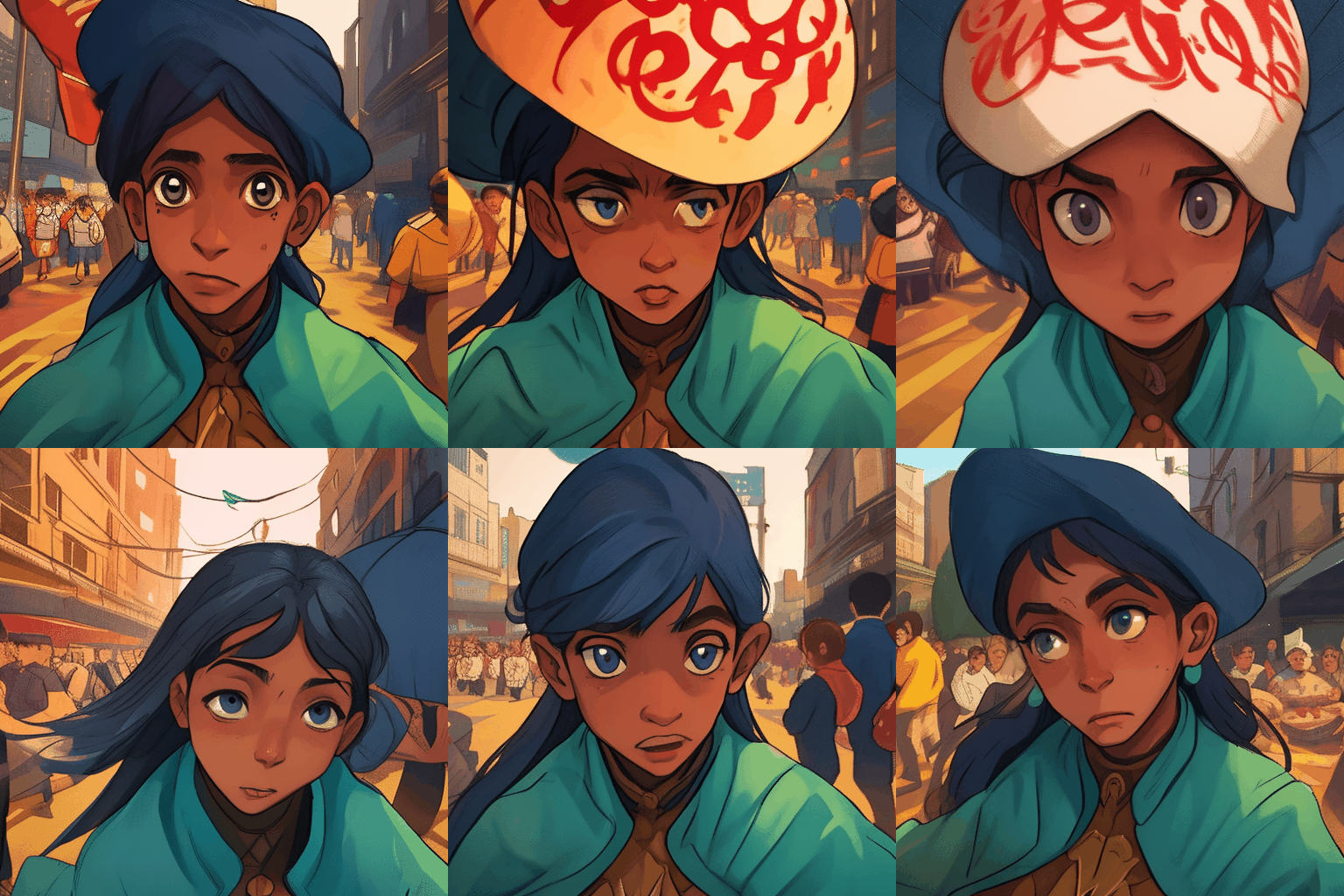
These are just example styles—AnimateDiff is not a one-look tool. It brings motion to the distinctive aesthetics of your preferred Stable Diffusion models.
what is AnimateDiff
AnimateDiff is an AI tool that can turn a static image or text prompt into an animated video by generating a sequence of images that transition smoothly. It works by utilizing Stable Diffusion models along with separate motion modules to predict the movement between frames. AnimateDiff allows users to easily create short animated clips without needing to manually create each frame.
How to make a video with AnimateDiff in 4 steps
Choose a base model / style
Pick the look you want — anime, realistic, cartoon, ink — from supported Stable Diffusion models.
Write your prompt
Describe the scene, subject, action and camera movement you want to animate.
Set length & FPS
Choose the number of frames and frame rate to control clip duration and smoothness.
Generate & download
Run AnimateDiff, preview the looping result, and export your animation.
AnimateDiff capabilities at a glance
| Feature | What it does | When to use |
|---|---|---|
| Motion modules v1/v2/v3/SDXL | Different trained motion priors for varying quality and resolution | Match the module to your base model and target resolution |
| Prompt Travel | Smoothly transition between prompts across frames | Create evolving scenes or morphing subjects |
| Motion LoRA | Add specific camera motions like zoom/pan/roll | Direct cinematic camera movement |
| ControlNet | Guide motion and structure with reference inputs | Keep pose/composition consistent |
| Close loop | Make the animation loop seamlessly | Perfect GIF-style looping clips |
| Frame interpolation | Insert in-between frames for smoother motion | Increase perceived FPS without re-generating |
| Hi-Res fix | Upscale while preserving motion detail | Sharper, higher-resolution output |
| LCM / SDXL Turbo speed-up | Fewer steps for faster generation | Rapid iteration and previews |
AnimateDiff can generate animations from text prompts alone. Users can upload an image and AnimateDiff will predict motion to generate an animation. Users don't need to manually create each frame, as AnimateDiff automatically generates the image sequence. AnimateDiff can be seamlessly integrated with Stable Diffusion and leverage its powerful image generation capabilities.
It utilizes a pretrained motion module along with a Stable Diffusion image generation model. The motion module is trained on a diverse set of short clips to learn common movements and transitions. When generating a video, the motion module takes a text prompt and preceding frames as input. It then predicts the movement and scene dynamics to transition between frames smoothly. These predictions are passed to Stable Diffusion to generate the actual image content in each frame. Stable Diffusion creates images that match the text prompt while conforming to the movement predicted by the module. This coordinated process results in a sequence of images that form a smooth, high-quality animation from the text description. By leveraging both motion prediction and image synthesis, AnimateDiff automates animated video generation.
Art and animation: artists/animators can quickly prototype animations and animated sketches from text prompts, saving significant manual effort. Concept visualization: helps visualize abstract concepts and ideas by turning them into animations, useful for storyboarding. Game development: can rapidly generate character movement and animations for prototyping game mechanics and interactions. Dynamic graphics: create animated graphics for ads, presentations, and social posts. Augmented reality: animate AR characters and objects by generating smoother and more natural movement. Pre-visualization: preview complex scenes with animation before filming or rendering final production. Education: create explanations and demonstrations of concepts as engaging animated videos. Social media: generate catchy animated posts and stories by simply describing them in text. The capability to go directly from text/images to animation opens up many possibilities for easier and more rapid animation creation across several domains.
You can use the tool for free on the animatediff.net website without needing your own computing resources or coding knowledge. On the site, you simply enter a text prompt describing the animation you want to create. It will then automatically generate a short animated GIF from your text prompt using state-of-the-art AI capabilities. The whole process happens online and you can download the resulting animation to use as you like. This provides an easy way to experience AnimateDiff's animation powers without setup. You can start creating AI-powered animations from your imagination in just a few clicks!
An Nvidia GPU is required, ideally with at least 8GB VRAM for text-to-video generation. 10+ GB VRAM needed for video-to-video. A sufficiently powerful GPU for inference is needed, like an RTX 3060 or better. Windows or Linux; macOS can work through Docker, and Google Colab is also an option. 16GB system RAM minimum recommended. A decent amount of storage is required for saving image sequences, videos, and model files. Works with AUTOMATIC1111 or Google Colab and requires installing Python and other dependencies. Currently only compatible with Stable Diffusion v1.5 models, including SD 1.5 checkpoint models, personalized models, LoRA/DreamBooth styles, and SDXL-specific model variants.
Start the AUTOMATIC1111 Web UI normally. Go to the Extensions page and click on the 'Install from URL' tab. In the URL field, enter the GitHub URL for the AnimateDiff extension: https://github.com/continue-revolution/sd-webui-animatediff. Wait for the confirmation that the installation is complete, then restart the AUTOMATIC1111 Web UI. The extension should now appear in the txt2img and img2img tabs. Download the required motion modules and place them in the proper folders as explained in the documentation, then restart AUTOMATIC1111 again. Now the extension is ready to use for generating animated videos in AUTOMATIC1111!
Close loop makes the first and last frames identical to create a seamless looping video. Reverse frames doubles the clip length by appending frames in reverse order. Frame interpolation increases frame rate to make motion look smoother. Context batch size controls temporal consistency between frames. Motion LoRA adds camera moves like panning and zooming. ControlNet directs animation based on a reference video's movements. Image-to-image allows defining start and end frames for more control over composition. FPS and number of frames control the speed and total length of the animation. Motion modules produce distinct movement patterns. These settings control style, smoothness, camera moves, speed, and length.
Limited movement range: movement is constrained by what's in the training data, so it cannot animate very complex or unusual movement not seen in the training set. Generic movements: the output is not tailored specifically to the prompt and tends to produce generic movements loosely related to it. Artifacts can sometimes appear as motion increases. Compatibility: currently only works with Stable Diffusion v1.5 models, not SD v2.0. Quality of movement relies heavily on the diversity and relevance of training data. Getting smooth, high-quality movement requires tuning many settings like batch size, FPS, and frames. Maintaining temporal coherence over long clips is still a challenge. As the technology matures, we can expect many of these issues to be addressed.
Ready to animate your idea?
Start turning your text and images into captivating videos today with AnimateDiff.
Try AnimateDiff Free